Product and platform
What is Vision Scan?
A configurable barcode platform for receiving, inventory and review. Capture live scans, decode multiple barcode types, prevent duplicates, and guide operators through uncertain reads.
Vision Scan public pages describe product behavior without publishing private detection tuning, configuration detail, customer data or quantified outcomes that require approval.
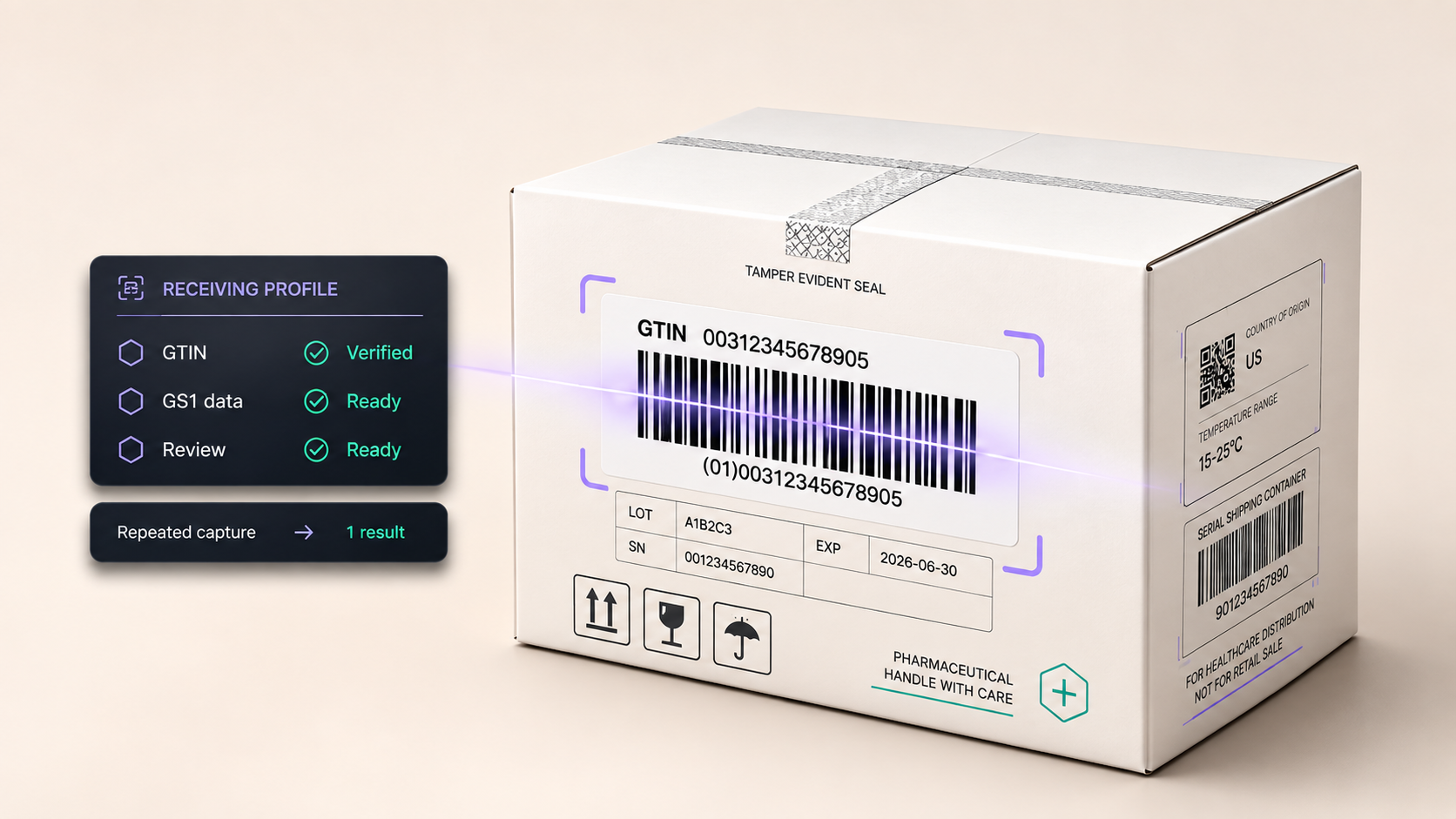
How a scan works
One receiving scan, five plain steps. This is the same flow the product tour walks through in detail.
Bracket the product area
The receiving view highlights the likely product region so attention stays on the package being processed.
Qualify the GTIN first
GTIN stays the primary product identity before dependent lot, expiration, serial or quantity values are trusted.
Hold duplicate scans out of the count
Potential repeat scans are called out before they distort receiving counts or downstream reconciliation.
Surface missing required fields
When required receiving evidence is absent, the missing field stays visible instead of being silently accepted.
Route uncertain units to review
Operators get a shared language for what is qualified, what needs correction, and what is ready to move forward.
Illustrative overview — the full tour walks these steps with synthetic demo frames.
What it does for you
Four concrete capabilities your receiving, inventory and review teams can rely on.
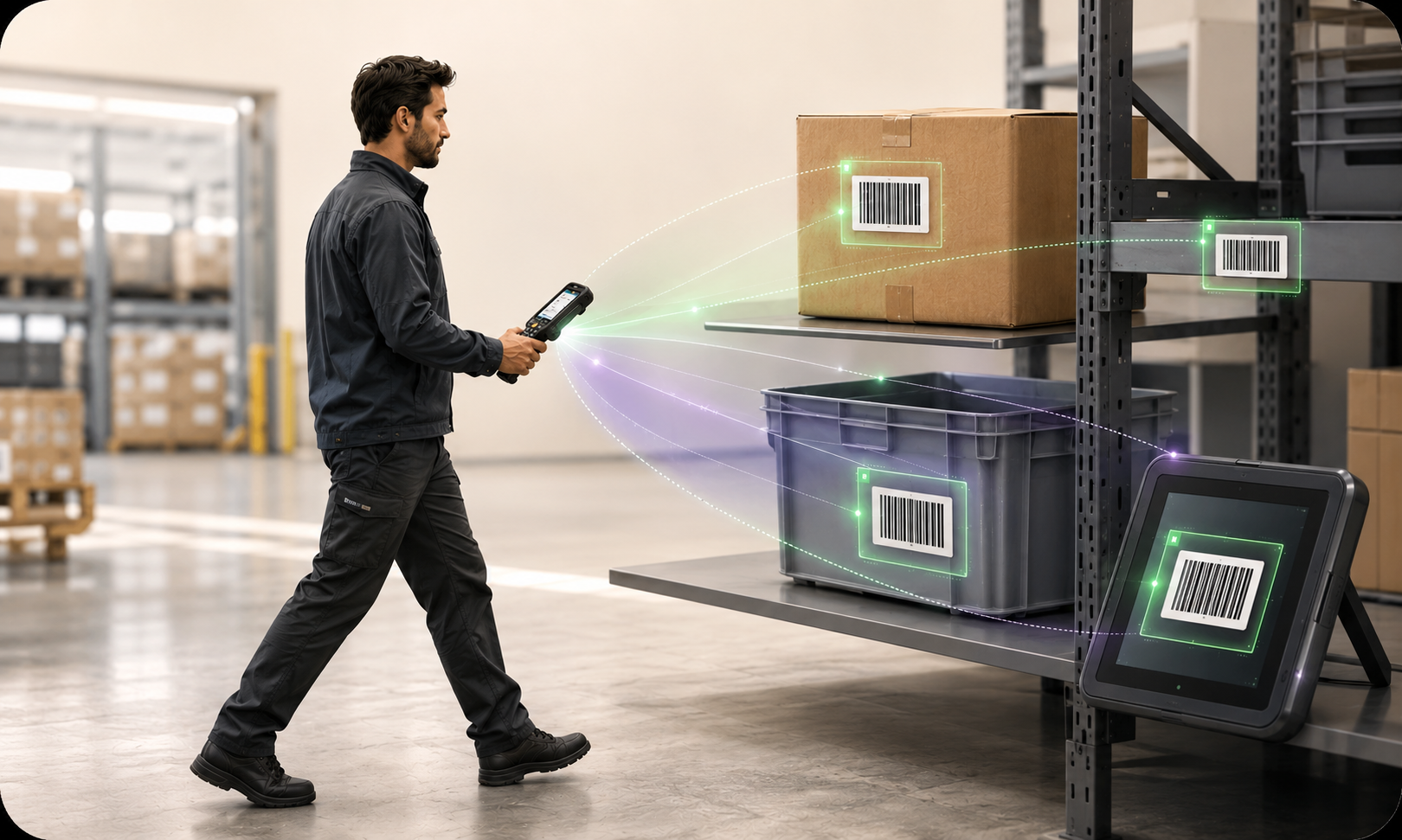
Live sweep detection
Sweep across a carton, tote, shelf or screen and surface barcode candidates while the operator keeps moving.
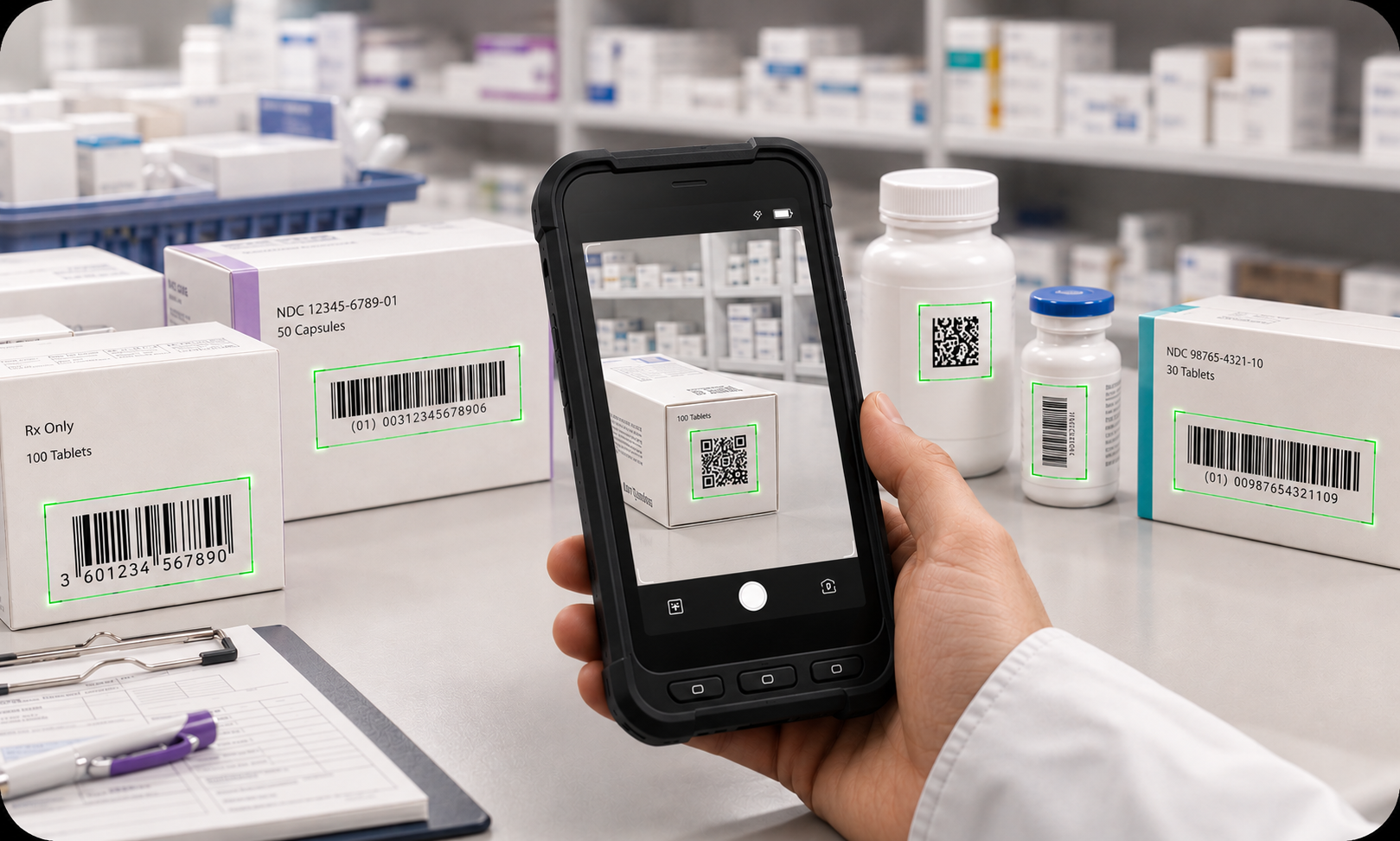
Multi-format coverage
Designed for common 1D and 2D barcode families, with GTIN-first industry profiles that narrow the formats each workflow accepts.
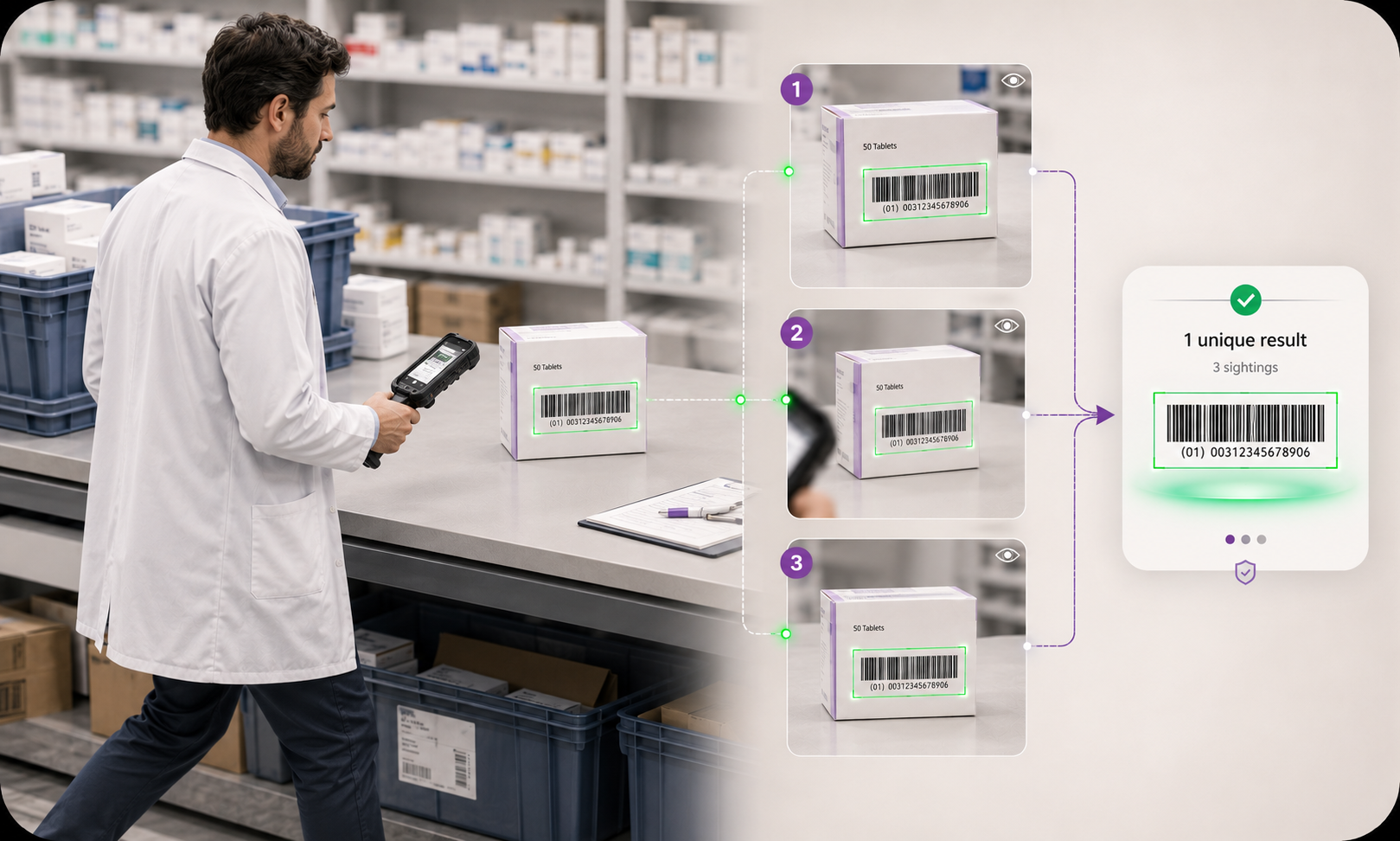
Dedupe-aware capture
Repeated sightings of the same code are grouped into a single operational result, so busy labels do not create duplicate receipt work.
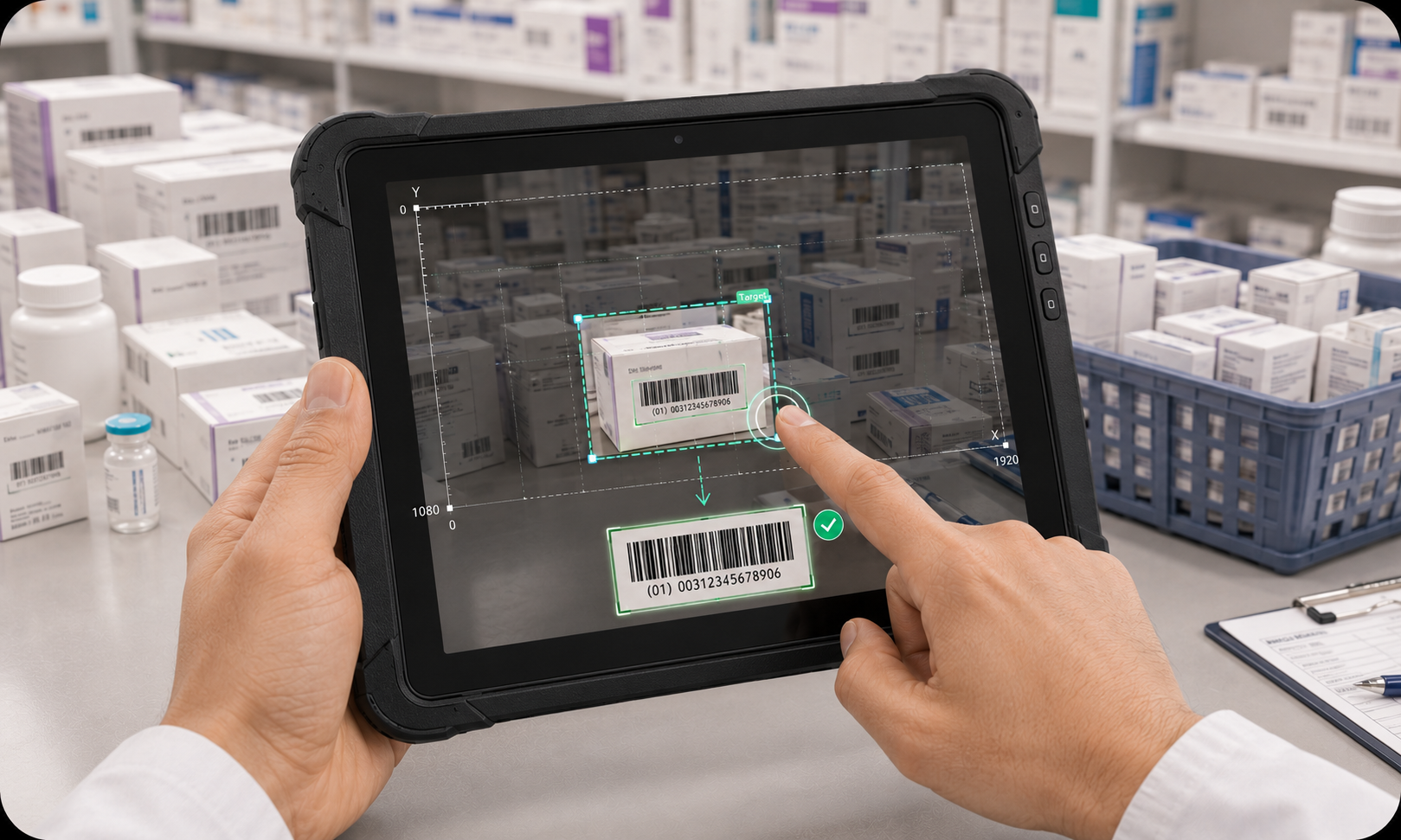
Tap and coordinate targeting
Tap a region — or pass coordinates from a host workflow — when a dense image needs focused barcode detection.
How the platform fits together
Seven pieces, one system. Each piece below links straight to its working surface, so you can start exactly where your team needs to.
SDK
Native scanning intelligence that runs inside your own apps — the VisionScan Android SDK.
Start with the Android quickstartAPI
A versioned, governed way to connect your systems to scan evidence.
Read the API overviewPortal
Licenses, device enrollment and SDK downloads for your tenant.
Sign in to open the developer portalBarcode & GS1
GTIN-first barcode guidance, the symbology catalog and generation tools.
Open the barcode knowledge centerWorkflows
Receiving, inventory and review lanes with tuned detection and handoff behavior.
Browse workflowsEvaluation
Try Vision Scan with a signed evaluation kit before committing.
Start free evaluationDocumentation
Concepts, quickstarts and guides for building and operating Vision Scan.
Read the docs
Choose your path
Three ways in — pick the one that matches where your team is today. Your WMS or ERP stays authoritative either way.
Evaluate
Try Vision Scan with a signed evaluation kit in your own receiving flow.
Start your 14-day free evaluationBuild
Embed scanning in your own app — the Android quickstart takes you from setup to first scan.
Open the Android quickstartIntegrate
Connect your systems to structured scan evidence through the versioned API.
Read the API overview
Start building with Vision Scan
Vision Scan hands off structured scan evidence to your ERP, WMS or receiving API — versioned canonical JSON with product identification (GTIN, description), traceability fields (lot, expiration, serial), quantity, timestamp, location, and device/session identifiers.