Focused Rescue
Use the device imager on a single hard-to-read label for a constrained OCR rescue, applied only when a valid barcode is not present and never silently overwriting decoded barcode data.
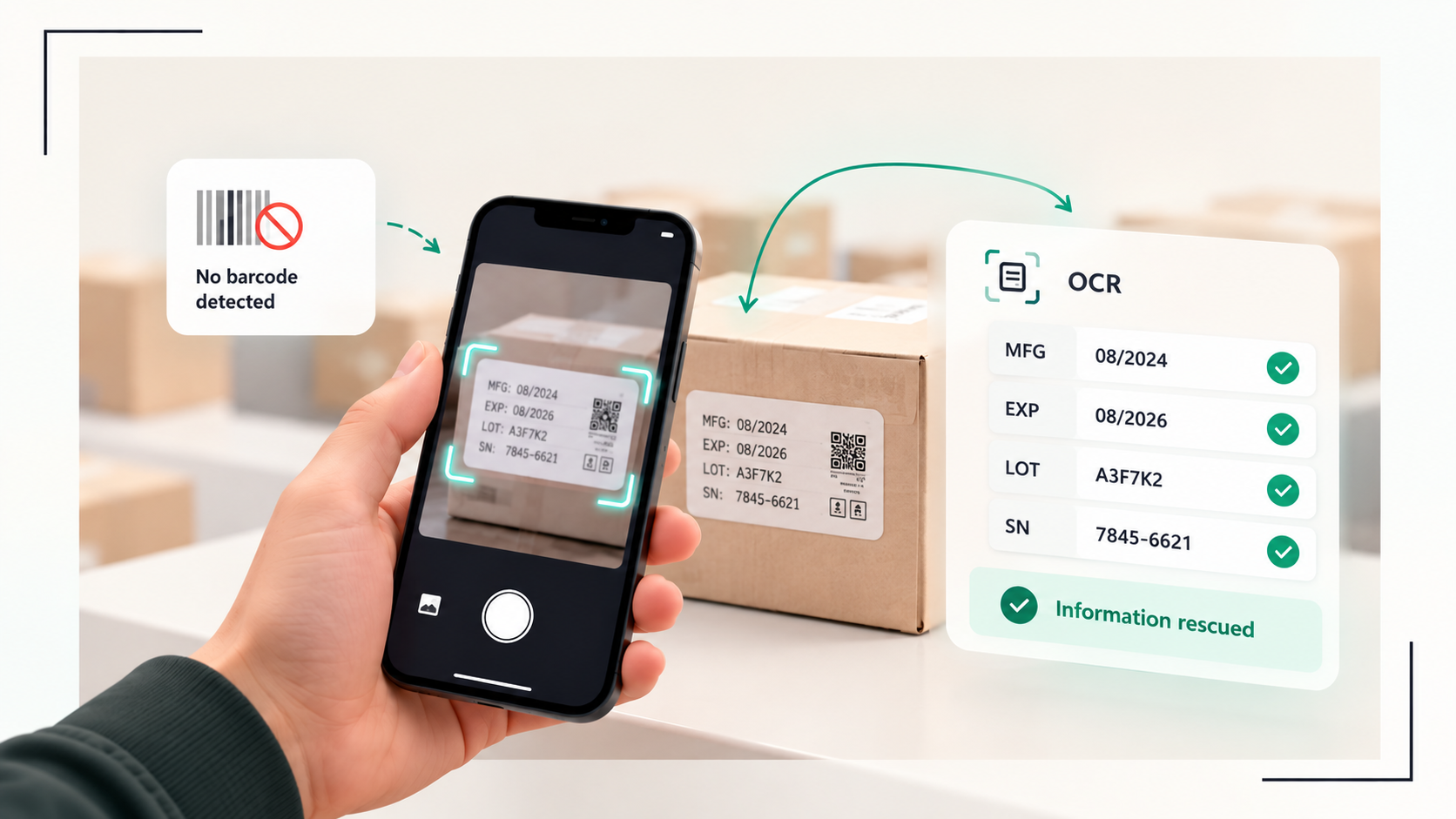
Operational friction
Some labels are worn, partial or have a missing barcode.
A single package may carry a GTIN in text but no scannable symbol, or a symbol too damaged to decode. The operator needs a constrained path to recover identity without leaving the field blank or guessing.
Operator journey
A clear path from capture to trusted output
- 1
Focused capture
Use the device imager on the single label. This is a deliberate, one-item capture, not a sweep.
- 2
Attempt decode first
The core attempts deterministic barcode decoding and GS1 interpretation before any text recovery.
- 3
Constrained OCR rescue
Only when no valid symbol is present does a constrained OCR rescue propose the identifier. The proposal is marked as rescue, shown to the operator, and never overwrites a valid decoded barcode.
- 4
Review
The operator confirms or rejects the rescued value. Rejected or ambiguous rescues stay visible for review.
Inside the scan
Constrained OCR rescue
OCR is bounded to recovering identifier text from a focused capture when decoding fails. It is not general document reading and does not run over a sweep.
What moves forward
Workflow outputs
- Decoded GTIN when a valid symbol is present
- Rescue-proposed identifier clearly labelled as OCR rescue
- Operator review decision recorded with the event
- No silent overwrite of valid barcode data
What stays visible
Operating boundaries
- OCR rescue is constrained to identifier recovery on a focused capture. It is not a substitute for barcode decoding and is not used when a valid symbol decodes.
- Rescued values require operator confirmation and remain part of the receiving review workflow.
- Designed for visible, sufficiently resolved text. Hidden or unreadable labels require another angle or focused scan.
Build the connection
Add focused rescue to your receiving stack.
Start with the versioned contract, then choose the quickest sample path for your host.