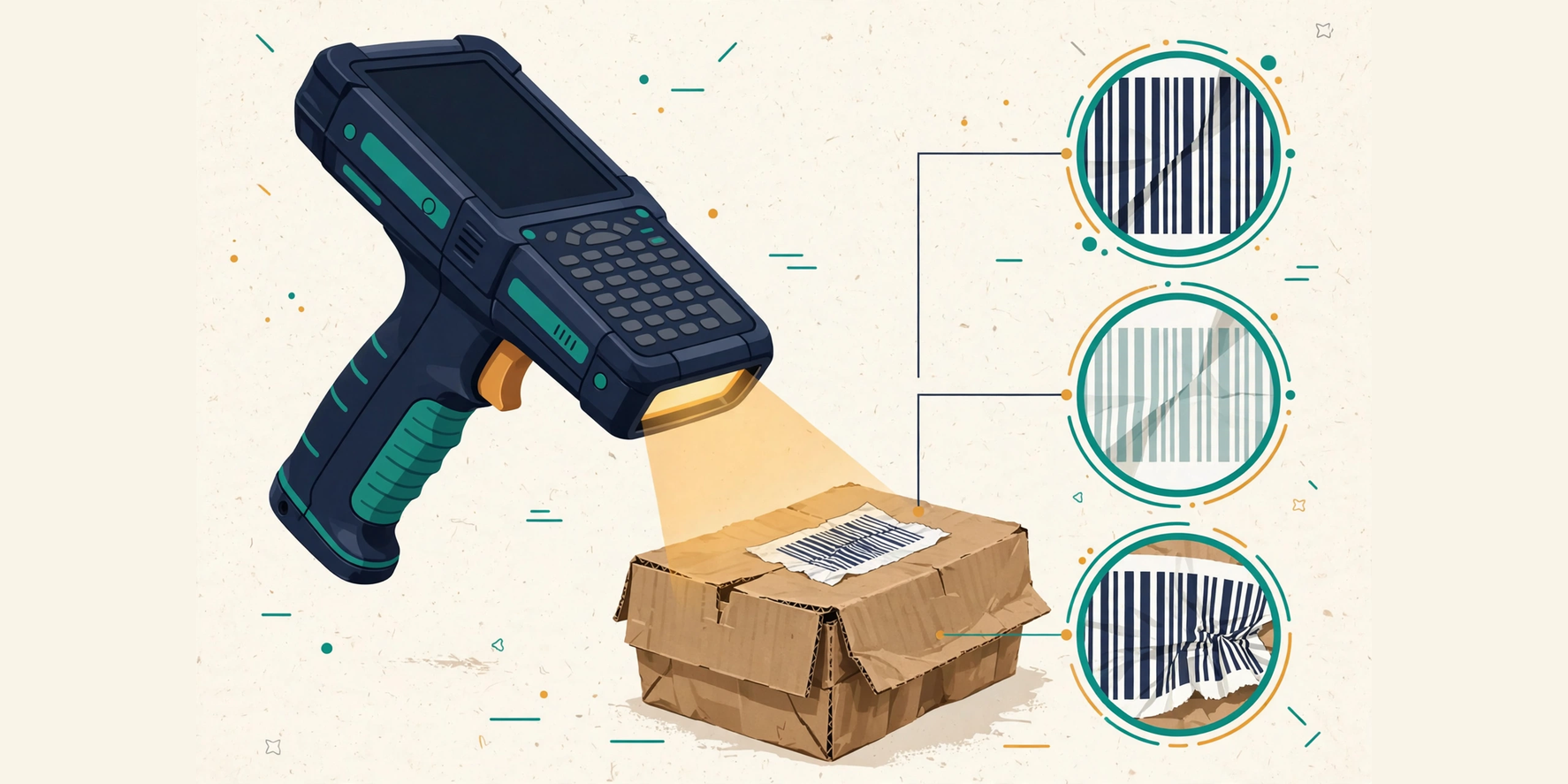
Few things frustrate an operator more than a barcode that will not scan — especially when the same scanner read the previous carton without hesitation. The instinct is to keep re-aiming, tilt the label, move closer, move further away, and hope. Sometimes that works, which teaches exactly the wrong lesson: that scanning is luck.
It is not luck. A scan failure almost always has a specific cause, and the causes fall into three places in order: the symbol itself, the scanner, or the system behind the scanner. Work through them in that order and most failures explain themselves within minutes.
Start with the symbol
Most failures live on the label. Check damage first: a crease through the bars, a torn corner, a scuff across a 2D grid. A 1D symbol with a damaged bar usually fails outright; a 2D symbol with error correction may survive partial damage, but only up to a point — beyond it, no scanner setting will help, and the label needs reprinting or the item needs the exception path.
Then check print quality: low contrast between bars and background, bars that are too thin or bled together from an over-inked printer, and — the most overlooked defect — a missing quiet zone. The quiet zone is the blank margin around the symbol that tells the scanner where the code starts and ends; text, borders, or other graphics crowding it will defeat an otherwise perfect symbol. Finally, check size and density: a symbol printed too small for its data, or too dense for the scanner’s resolution at the working distance, is a design failure, not an operator failure.
Match the scanner to the symbol
If the symbol looks sound, the scanner is the next suspect — starting with a fundamental mismatch: a laser scanner cannot read a 2D symbol at all. If a DataMatrix or QR Code will not scan on a laser device, no amount of re-aiming will fix it; the device must be an imaging (camera-based) scanner, which reads both families.
For imaging scanners, check distance and angle: every scanner has a working range, and a symbol held too close or too far simply cannot resolve. Watch for glare on glossy labels or shrink-wrap — tilting the label a few degrees usually removes it — and for motion blur on fast-moving lines. A symbol that scans when held still but not on the move is telling you about speed, not about the code.
When the scan reads but the system rejects
The most confusing failures are the ones where the scanner beeps and nothing happens — or worse, an error appears. Here the symbol and the scanner both did their jobs, and the system refused the result. The common causes are worth distinguishing, because each has a different fix.
- Check digit failure: the number decoded, but its check digit does not recompute. The scan was misread, not the product misidentified — re-scan, and if it persists, the label itself is suspect.
- Unknown identity: the number is valid but matches nothing expected. That is an expectation problem (no order, no catalogue entry), not a scanning problem, and it belongs in the exception path.
- Field parse failure: a GS1 symbol decoded but its fields did not separate — usually a missing separator after a variable-length field. The data is there; the structure is not.
A five-minute diagnostic order
When a failure resists the obvious, run this sequence before escalating. One: scan a known-good label of the same symbology on the same scanner — if it fails too, the scanner is the problem. Two: scan the problem label on a second scanner — if it reads, the first device is at fault. Three: print a fresh copy of the same symbol and scan it — if the fresh copy reads, the original label is defective. Four: recompute the check digit from the printed human-readable numbers — a mismatch proves a misread or a misprint. Five: check the identity against expected data — a valid number with no match is an exception, not a defect.
Five steps, five minutes, and almost every failure lands in exactly one bucket: label, device, or system. From there the fix is usually obvious — reprint, replace, reconfigure, or route to exceptions — and the operator stops believing in luck.
- Is the symbol sound?
- Damage, creases, or scuffs across bars or grid
- Low contrast, over-inked bars, missing quiet zone
- Symbol too small or too dense for the working distance
If any check fails: reprint the label or route the item to exceptions.
- Is the scanner matched?
- Laser scanners cannot read 2D symbols — use an imaging scanner
- Distance and angle within the scanner’s working range
- Glare on glossy labels or shrink-wrap; motion blur on fast lines
If the symbol reads on a second scanner, the first device is at fault.
- Does the system accept the decode?
- Check digit failure: the scan was misread, not the product misidentified
- Unknown identity: a valid number with no expected match
- Field parse failure: a missing separator after a variable-length field
Each cause has a different fix: re-scan, exception path, or parser correction.
Still unresolved: Route the item to the exception path with the failure recorded — do not type the number in from memory.
Comments
Comments are stored in this browser only. They are not published, synced, or visible to other readers.
No comments yet on this device. Be the first.